Downloading another supermarket app feels like a chore. But if Lidl is already part of your weekly grocery run, this one sits differently on your phone.
The Lidl Plus digital rewards card is free, runs entirely through a smartphone app, and skips physical cards altogether. That alone sets it apart from the plastic cluttering your wallet.
But “free” and “digital” don’t automatically mean useful. The question worth asking is whether this app changes your grocery bill or just adds another notification to your lock screen.
I spent time pulling apart every feature of Lidl Plus to figure out who it works for, who it quietly costs money, and what the typical loyalty card review never mentions.
How the Lidl Plus App Works in 2026
The entire Lidl Plus system lives inside a single app, available on both iOS and Android. Registration takes a few minutes: name, email, phone number for verification, and that’s it. No subscription. No fees.
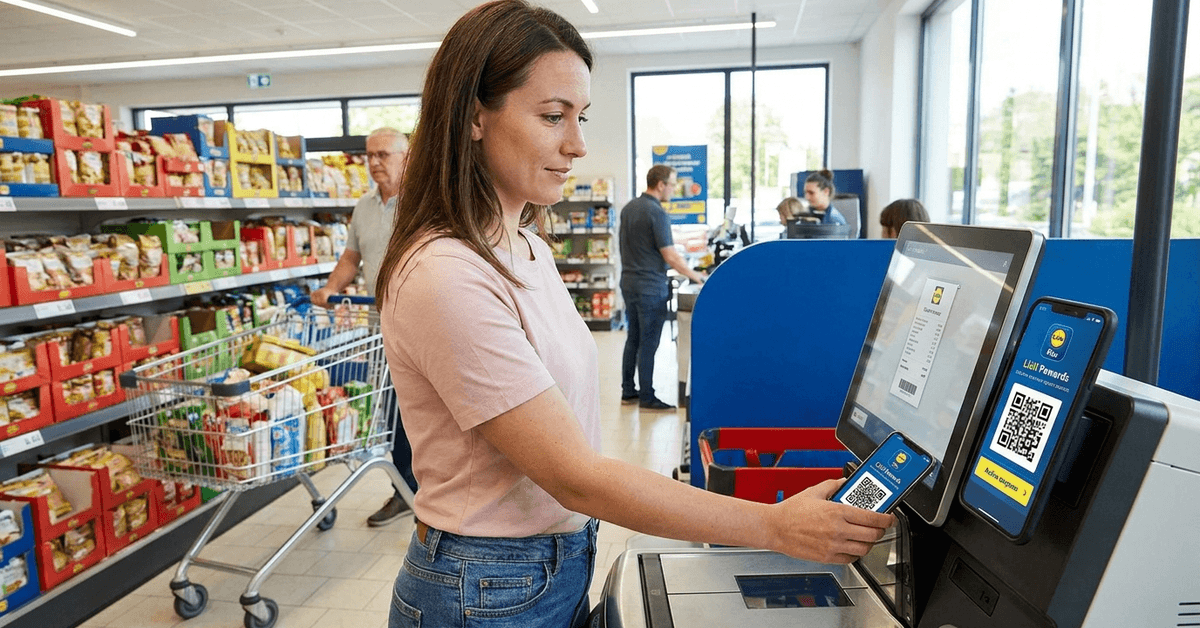
Once the account is active, the app generates a personal barcode. Scanning that barcode at checkout activates any coupons loaded to the account.
The word “loaded” matters here because coupons don’t apply automatically. Each one needs to be activated inside the app before scanning.
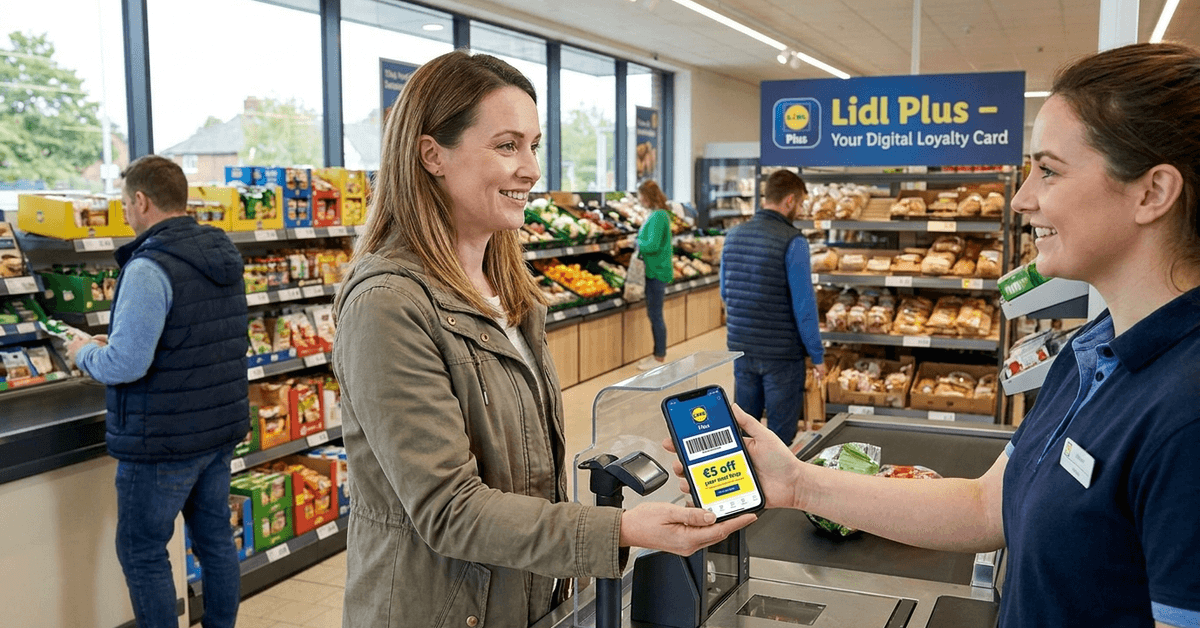
That activation step trips up a lot of new users. If the coupon sits unactivated in the app, it does nothing at the register. The discount just vanishes.
Weekly Coupons and How They Rotate
Each week, Lidl Plus pushes a fresh batch of personalized coupons into the app. These rotate based on purchase history and popular items in your area. One week it might be fresh produce. The next, bakery items or snack deals.
The rotation happens automatically, so checking the app before a store visit is worth the 30 seconds it takes. Coupons that appeared on Monday might be gone by Thursday. Timing matters more than people expect.
Digital Receipts That Replace Paper Ones
Every purchase made while scanning the Lidl Plus barcode generates a digital receipt stored inside the app. This creates a running history of spending, which is more useful than it sounds at first glance.
For anyone who has ever needed a receipt for a return and couldn’t find it crumpled at the bottom of a bag, this feature alone justifies the download.
The receipts also break down spending over time, which makes monthly budgeting easier to track without a spreadsheet.
Scratch Cards After Qualifying Purchases
One feature that gets people talking: digital scratch cards. After certain qualifying purchases, the app offers a scratch-off that might give a discount on a future visit, a free item, or a small perk.
The prizes tend to be modest. I think Lidl’s scratch card system works best as a small bonus after a shop, not as a reason to shop more often.
The wins are typically a couple of percent off the next visit or a free bakery item. Expecting anything larger sets the wrong tone.
Partner Discounts Outside Groceries
Lidl Plus occasionally includes partner discounts for things like cinema tickets, travel, or fuel. These vary depending on country and current deals. A UK user might see different partner offers than someone in Germany or Ireland.
The partner deals can be hit-or-miss. If the current offer doesn’t match your lifestyle, it’s not worth changing your routine over. But when something relevant shows up, it’s a nice surprise sitting inside an app you’re already opening.
Who Gets the Best Value from Lidl Plus
The app suits certain shoppers more than others, and being honest about that matters more than pretending it works for everyone.
Families and Large Households
Large households that shop at Lidl weekly see the most return. The coupon rotation means more chances to catch a deal on items already on the list. Small percentage savings compound quickly when the weekly shop runs above £80 or €100.
Budget Trackers Who Want Spending Visibility
The digital receipt feature is particularly useful for anyone tracking household expenses. Seeing a month of Lidl purchases in one place, broken down by date and total, takes the guesswork out of grocery budgeting.
People Already Comfortable Using Apps for Shopping
If the phone is already out during a grocery trip for lists or price checks, adding Lidl Plus to that routine is seamless.
Shoppers who prefer not to use apps at checkout will find the process frustrating, especially if the store scanner has a hiccup during a busy period.
Lidl Plus Compared to Tesco Clubcard and Nectar Card
Supermarket loyalty apps all promise savings, but the structure behind each one differs. A side-by-side comparison cuts through the noise:
| Feature | Lidl Plus | Tesco Clubcard | Nectar Card |
|---|---|---|---|
| Personalized Coupons | Yes | Yes | Yes |
| Digital Receipts | Yes | Yes | No |
| Partner Discounts | Selected offers | Extensive | Wide range |
| Physical Card Option | No | Optional | Optional |
| Points System | No | Yes | Yes |
The main difference sits in the points system. Tesco Clubcard and Nectar let shoppers collect points to convert into non-grocery rewards or vouchers.
Lidl Plus skips points entirely and offers direct coupon discounts instead. Lidl Plus official page has the full breakdown of current offers by region.
I think the no-points approach from Lidl Plus is better for weekly grocery shoppers because the savings are immediate and visible on that receipt, not locked behind a conversion rate where 150 points equals £1.50 three months later.
That’s a position worth debating. Points systems give the illusion of earning something, but the conversion math often benefits the retailer more than the shopper.
Mistakes That Reduce Lidl Plus Savings
The app is straightforward, but a few habits separate people who get real value from those who wonder why they bothered.
Common patterns that reduce the card’s usefulness:
- Forgetting to activate coupons before checkout. The barcode scan alone doesn’t trigger unactivated offers. Each coupon needs a manual tap inside the app before the store visit.
- Skipping the app on smaller trips. A quick stop for bread and milk still counts. Those digital receipts and potential scratch cards only appear when the barcode gets scanned.
- Buying items just because a coupon exists. A 15% discount on something not on the shopping list is still money spent, not money saved. This is the most common trap with any digital rewards card.
- Ignoring the partner deals section. Some partner discounts cover fuel or entertainment at discounts worth more than the grocery coupons. A quick scroll once a week catches them.
That third point deserves extra attention. The standard advice around loyalty apps is to activate every coupon available.
I disagree with that approach for Lidl Plus specifically because the personalized coupon system is designed to introduce products outside your normal basket. Activating everything creates a psychological pull toward impulse purchases disguised as deals.
Privacy and Data: What Lidl Plus Collects
Any digital rewards card collects data. Lidl Plus gathers contact information and purchase history, primarily to personalize coupon offers. The Lidl privacy notice outlines the full scope.
Account deletion is available through the app settings at any time. Opting out removes stored data per data protection regulations.
For shoppers concerned about purchase tracking, reading the privacy agreement before enrolling gives a clear picture of what’s shared and what’s retained.
App performance varies. Some users report occasional scanner issues at checkout or slow loading after updates. These tend to be temporary, but they’re worth knowing about before a first attempt at a busy self-checkout lane.
The Hidden Behavior Shift Loyalty Apps Create
One angle almost no Lidl Plus review covers: the behavioral nudge built into the app’s design.
The scratch card system and rotating coupons create a feedback loop. Scan, save, scratch, repeat. That loop builds a habit of checking the app before every trip, which sounds harmless.
But the habit subtly shifts purchase decisions. A coupon for a product category you’ve never bought starts appearing because the algorithm detected a gap in your basket. The discount makes it feel rational.
Over several weeks, your basket composition changes without a conscious decision.
This isn’t a flaw. It’s the design working as intended. Being aware of it puts the control back on the shopper’s side. The app works best for people who use it as a discount tool on items already planned, not as a shopping list replacement.
Questions People Ask About Lidl Plus Digital Rewards Card
Q: Does Lidl Plus cost anything to use? The app is completely free to download and use. No membership fees, no subscription tiers. Every feature, including coupons, digital receipts, and scratch cards, is available at no cost.
Q: Can I use Lidl Plus if I forget my phone at home? No. The rewards card exists only as a barcode inside the app. There is no physical card option and no way to apply missed discounts retroactively after a purchase.
Q: Are Lidl Plus coupons the same in every country? They vary by country and sometimes by region within a country. A shopper in Belgium might see completely different offers than someone using the same app in the UK or Germany.
Q: How do I delete my Lidl Plus account? Account deletion is available through the app’s settings menu. Once processed, stored purchase data and personal information are removed according to the platform’s data protection policies.
Q: Do scratch card prizes ever include anything big? Prizes tend to stay small: a percentage off the next shop or a free bakery item. Big-ticket wins are rare, and the feature works better as a fun bonus than a savings strategy.
Conclusion
The Lidl Plus digital rewards card saves money for weekly Lidl shoppers who stick to their list. Ignoring the coupon activation step is the single biggest reason people miss out on discounts.
The app earns its place on a phone when used deliberately, not as a passive download. Give it two weeks of consistent scanning, and the receipts will tell the story.