In daily use, oils, dust, and pocket lint blunt responsiveness, block charging, and muffle audio.
Under proper care, even older devices feel faster, charge reliably, and sound clearer. To Clean Your Smartphone for Better Performance, follow manufacturer-approved steps that protect coatings, seals, and ports while restoring frictionless touch and dependable power.
Guidance below reflects Apple and Samsung instructions confirmed in 2025, alongside practical repair-shop techniques.
Safety Setup and What Not to Use
Power down the phone and unplug accessories first, then remove the case to expose edges and ports. Keep liquids off the device itself; lightly dampen a cloth instead of spraying anything directly.
Avoid bleach, hydrogen peroxide, window cleaners, abrasive powders, and excessive rubbing that can strip oleophobic coatings or push moisture into seams.
Apple explicitly warns against bleach or hydrogen peroxide and against getting moisture in openings; Samsung adds to avoid compressed air on surfaces and any pooling of liquid.
Your Minimal Toolkit
A short prep keeps the job safe, fast, and repeatable. Gather a simple kit that covers glass, seams, and debris without risking shorts or scratches.
Keep these items together in a labeled pouch so the process becomes a quick routine rather than an occasional scramble. Replace worn cloths and depleted air cans promptly to stay effective.
- Microfiber cloths and distilled water: Lint-free cloths handle fingerprints without scratching; use a barely damp corner with distilled water for stuck smudges, then dry immediately.
- 70% isopropyl alcohol or approved wipes: Use a single pass to disinfect hard exterior surfaces per Apple and Samsung guidance; avoid liquid ingress.
- Cotton swabs, soft brush, and wooden toothpicks: Reach crevices, loosen lint in ports, and sweep grills, taking care around pins and mesh.
- Compressed air or bulb syringe (for ports only): Short, upright bursts help lift dust from charging ports; never blast speakers or mics.
- No-go products: Skip bleach, ammonia, hydrogen peroxide, abrasive pads, and direct sprays; these damage finishes and seals.
Clean the Screen Without Streaks
Start with a dry microfiber cloth, moving in straight lines across the glass to gather particles before they scratch. For clingy smudges, use a barely dampened cloth corner (distilled water), then chase with a dry area to prevent halos.
Disinfect once using a 70% isopropyl or 75% ethyl alcohol wipe, let it evaporate, and finish with a dry buff to restore glide while keeping coatings intact.
Keep compressed air away from the display and avoid soaps or household cleaners unless the maker specifically lists compatibility.
Restore Charging Reliability: Lightning and USB-C
Pocket lint and compacted dust block plugs trigger moisture warnings and cause intermittent charging. After powering down, begin with a few upright, short bursts of compressed air or a bulb syringe into the port to dislodge loose debris.
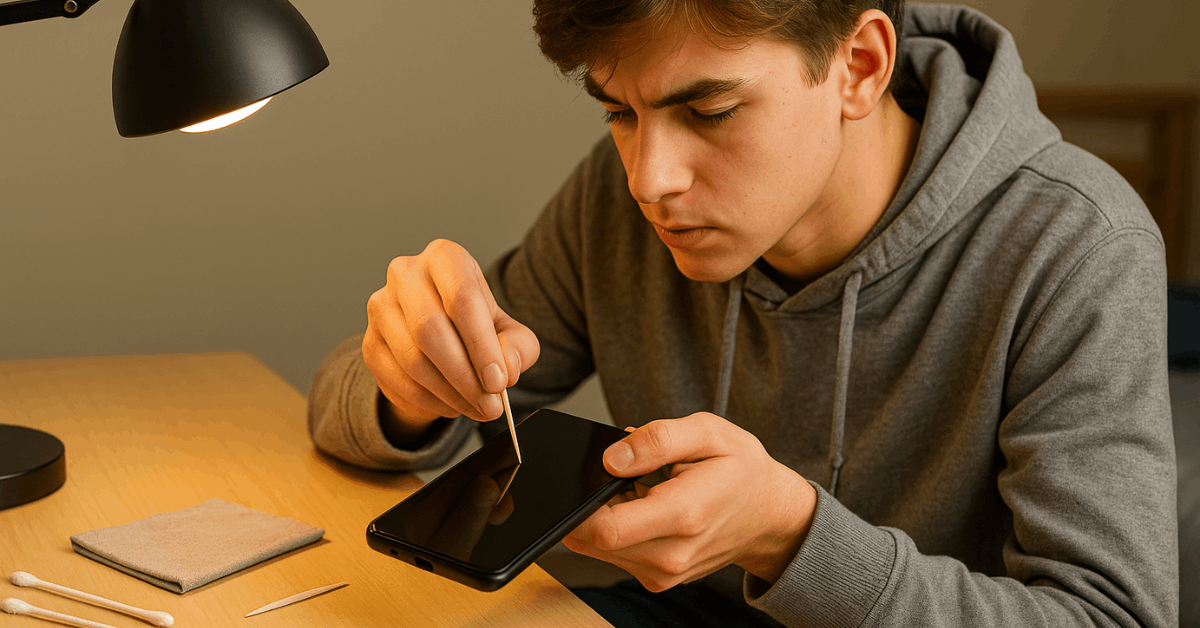
Under bright light, use a wooden or plastic toothpick to gently tease out remaining lint, staying parallel to the bottom of the port to avoid pin contact.
Repeat a final gentle air burst, power on, and test charging; if problems persist, repeat the sequence once and then seek professional service rather than escalating force. Practical step-throughs from repair pros and insurers match this sequence.
- iPhone Specifics: keep liquids away from the Lightning connector and avoid metal tools; Apple emphasizes dry methods and moisture avoidance.
- Android Specifics: USB-C ports respond to the same routine; Samsung echoes alcohol and moisture limits and discourages direct liquid application to openings.
Clear the Speakers, Microphones, and Buttons
Dust layers dull speaker output and can block tiny microphone ports. Use a dry, soft brush or a clean, dry cotton swab to lift debris from grills and holes, tapping the phone gently to let particles exit rather than be pushed deeper.
Avoid compressed air at speakers and microphones; Consumer Reports and Samsung advise gentle, dry agitation instead of blasts that may compromise membranes. Finish by wiping the exterior with an approved alcohol wipe, keeping liquid away from every opening and wiping dry afterward.
Buttons and seams benefit from a light pass with a slightly damp cloth edge, followed by a dry cloth, to prevent moisture from creeping under gaskets. Camera lenses clean up with the same microfiber and a single alcohol-wipe pass; avoiding abrasive sleeves preserves clarity and autofocus performance.
Software Tune-Ups That Boost Perceived Performance
Physical cleaning fixes friction and charging, while small software habits keep responsiveness high. These quick wins take minutes and compound over weeks when scheduled.
Aim for a short weekly routine that pairs hardware cleaning with digital housekeeping for a noticeably smoother device.
- Purge obvious storage waste: Offload or delete large videos, duplicate photos, and long-unused apps to free flash storage headroom that benefits caching and updates.
- Trim background activity: Restrict auto-start for rarely used apps and reduce constant location access to lighten CPU and network load.
- Update thoughtfully: Install OS and security updates, then reboot to clear stale processes and rebuild caches cleanly.
- Reduce needless visuals: Dial back animations or live wallpapers on older hardware to lower GPU demand during navigation.
- Run a quick restart midweek: A periodic reboot clears transient glitches that feel like lag without masking real issues.
Care for Cases, Straps, and Accessories
Remove silicone or plastic cases and wash them in mild soapy water, rinse thoroughly, and air-dry completely before reinstallation. Treat leather cases with a lightly damp cloth or leather cleaner; avoid soaking that warps the material.
Detachable keyboard covers and fabric accessories need a separate cleaning according to maker guidance, followed by full drying to avoid trapping moisture against device seams.
Refurbished Devices, Sustainability, and Trusted Marketplaces
Refurbished smartphones extend device lifecycles, lower total cost, and reduce e-waste, provided grading and testing are credible.
One large marketplace highlighted in mainstream coverage holds BBB Accreditation and Certified B Corp status, signals of formal accountability and consumer-protection posture.
Business profiles show accreditation and an A-range BBB letter rating, while the B Lab registry lists a verified impact score above the certification threshold. Always confirm the current warranty and return window on the specific product page, since policies and regions vary.
Trade-In Programs
Trade-in programs help close the loop by valuing older phones and routing them into vetted refurbishment streams. Expect quotes that depend on model, storage, and condition, plus quick diagnostics once the device is received.
Combining regular cleaning with timely trade-ins keeps equipment in circulation longer and minimizes resource demand from new manufacturing.
Maintenance Frequency and Quick Routine
Weekly touch-ups keep friction low: wipe the display, clear edges, and brush grills while the phone is powered down. Monthly deeper care takes five extra minutes: air-dust the charging port, inspect with a light, and remove any compacted lint gently.
Pair the hardware routine with the software tune-ups above, and performance feels consistent rather than spiky.
Clean hardware, unobstructed ports, and trimmed background activity collectively sustain responsiveness and charging reliability over the device’s lifespan.
Last Thoughts
Regular care restores reliable touch, charging, and clear audio without risking coatings or seals.
Follow manufacturer-approved steps, keep liquids off openings, and avoid abrasives that accelerate wear.
Set a weekly routine: power down, wipe glass, brush grills, and inspect the port.
If issues persist after careful cleaning, seek professional service instead of forcing stubborn debris.